An AI Agent is an AI system that can plan tasks, use available tools, take actions, and evaluate results to achieve a goal.
Unlike a traditional chatbot that primarily answers questions, an AI agent can carry out a multi-step workflow when it has the appropriate tools and permissions.
How an AI Agent works
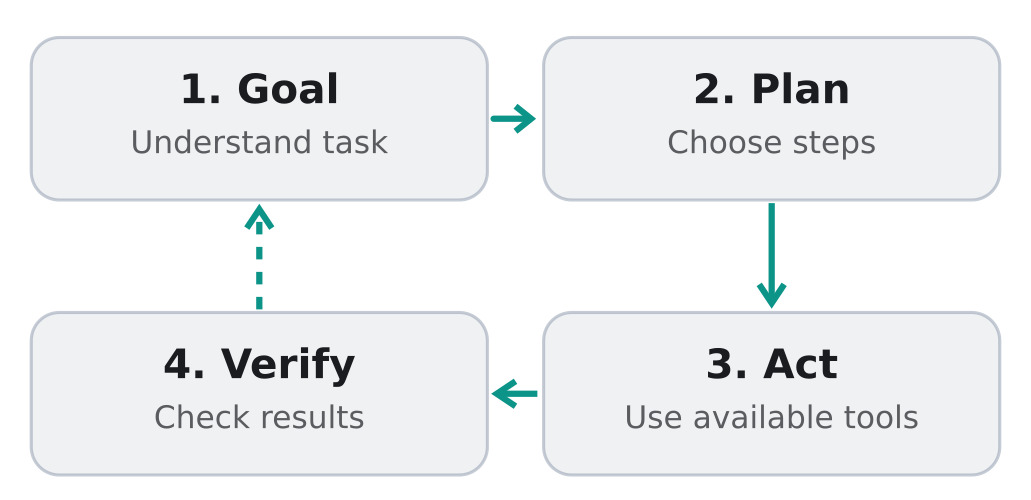
The agent can repeat planning and execution when verification shows a problem.
Apply it today: Plan your day using an AI agent
Imagine asking an AI agent:
“Review my calendar, pending tasks, and important emails. Identify scheduling conflicts, prioritize my activities, and prepare a realistic plan for today.”
With connected tools and permission, an agent could inspect your calendar, identify conflicting commitments, draft responses, and propose schedule adjustments.
Without those integrations, AI can still help you prepare a plan from information you provide.
Try this practical prompt
Act as my personal productivity agent. Review the meetings and tasks I provide. Identify my three most important priorities, suggest an efficient schedule, and highlight any conflicts or dependencies. Explain your recommendations. Ask for approval before making any changes.
AI lesson: Chatbot vs. AI Agent
| Chatbot | AI Agent |
| Answers questions | Pursues goals |
| Generates suggestions | Can execute actions with tools |
| Usually responds one step at a time | Can coordinate multiple steps |
| User drives each step | Can proceed within approved boundaries |
Today’s takeaway: AI agents move from generating answers toward getting tasks done.
5-minute challenge: Give AI your top five tasks for today and ask it to create an actionable execution plan with priorities, time estimates, and dependencies.